
Understanding Cost Per Lead (CPL) in Meta Ads
Running Meta Ads is one of the most popular ways for businesses to generate leads online. Platforms like Facebook and Instagram allow businesses to reach potential customers based on their interests, location, age, behaviour and other factors. However, getting leads is not always enough. Businesses also need to make sure they are generating leads at a reasonable cost.
This is where Cost Per Lead (CPL) becomes important.
Cost Per Lead is the amount a business spends to acquire one lead through an advertising campaign. For example, if a business spends ₹5,000 on a Meta Ads campaign and receives 100 leads, the cost per lead is ₹50.
A high CPL can increase marketing expenses and reduce the return on advertising investment. On the other hand, a lower CPL can help businesses generate more leads within the same budget.
But reducing CPL does not simply mean spending less money. It means using the advertising budget more effectively, reaching the right audience, creating better advertisements and improving the lead generation process.
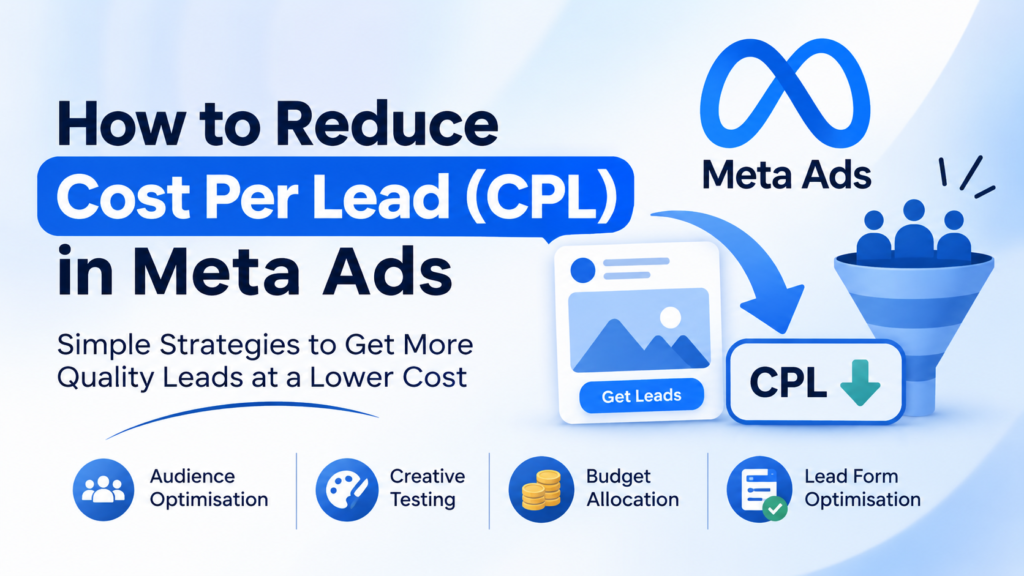
In this blog, we will explore four practical ways to reduce Cost Per Lead in Meta Ads: audience optimisation, creative testing, budget allocation and lead form optimisation.
1. Audience Optimisation
Audience optimisation is one of the most important factors in reducing Cost Per Lead. Even if an advertisement has an attractive design and a good offer, it may not generate results if it reaches the wrong audience.
The goal of audience optimisation is to show advertisements to people who are more likely to be interested in the product or service.
Understand Your Target Audience
Before creating a Meta Ads campaign, businesses should clearly understand their ideal customers.
Consider the following questions:
- What age group is most likely to purchase the product?
- Which locations should the advertisement target?
- What interests are related to the product or service?
- What problems does the target audience want to solve?
- Are the customers individuals, families or business owners?
For example, if a furniture store wants to generate leads for bedroom furniture, it may target people living within the store’s service area who are likely to be interested in home improvement, furniture and interior design.
Understanding the audience helps businesses avoid spending money on people who are unlikely to become customers.
Use Location Targeting Effectively
Location targeting is especially important for local businesses.
A business should focus its advertisements on locations where it can actually provide its products or services.
For example, a furniture showroom in Kottayam may target people living in Kottayam and nearby areas instead of advertising across the entire state of Kerala.
This helps reduce unnecessary impressions and improves the chances of reaching potential customers who can visit the showroom or purchase from the business.
However, the ideal targeting radius depends on the business, its delivery area and customer behaviour.
Test Different Audience Groups
Instead of targeting only one audience, businesses can test different audience groups to understand which one performs better.
For example, a business selling home appliances could test:
- Audience 1: People interested in home appliances.
- Audience 2: People interested in home improvement.
- Audience 3: A broader audience within the business’s service area.
After running the campaign, compare the results of each audience.
Look at the number of leads, cost per lead and lead quality. Do not select an audience based only on the lowest CPL. An audience that generates inexpensive but irrelevant leads may not be useful to the business.
Use Custom Audiences
Custom Audiences allow advertisers to reach people who have already interacted with their business.
These audiences can include:
- People who have engaged with the business’s Facebook or Instagram account.
- People who have watched its videos.
- People who have visited its website.
- Existing customers or contacts, where the business has the necessary permissions.
These people may already know about the brand, which can make them more likely to respond to an advertisement.
For example, a business can show a special offer to people who previously interacted with its Instagram page but have not yet submitted an enquiry.
Use Lookalike Audiences
Lookalike Audiences help advertisers reach new people who share characteristics with an existing audience or customer source.
For example, a business can use a suitable customer list as a source to find people who may have similar interests or behaviours.
This can help businesses expand their reach beyond existing customers.
However, Lookalike Audiences are not guaranteed to generate cheaper or better leads. Their performance should always be tested and compared with other audience strategies.
Key takeaway: Audience optimisation reduces wasted advertising spend by helping businesses reach people who are more likely to become customers.
2. Creative Testing
The advertisement creative is what people see while scrolling through Facebook and Instagram. It includes the image or video, headline, primary text and call-to-action button.
A good creative can attract attention, communicate the offer and encourage people to submit their details.
If an advertisement does not attract attention or explain the offer clearly, people may scroll past it without taking action.
Test Different Ad Formats
Businesses should not depend on only one type of advertisement.
Meta Ads supports different creative formats, including:
- Single-image ads.
- Video ads.
- Carousel ads.
- Reels placements.
- Stories placements.
Each format offers a different way to communicate with potential customers.
For example, a furniture showroom can use a single-image advertisement to highlight a product and its price. It can also use a video to show different furniture designs and explain their features.
Testing different formats helps identify which type of creative attracts more potential customers.
Test Different Images and Videos
Even small changes in an advertisement can affect its performance.
For example, a business selling washing machines can test:
- Creative A: An image highlighting the product and its price.
- Creative B: A video showing the product’s features.
- Creative C: An image highlighting a limited-time discount.
After running the advertisements, compare their performance.
Check which creative receives more clicks, generates more leads and delivers a reasonable CPL.
A creative with many clicks but very few leads may not be communicating the offer effectively or attracting the right people.
Write Clear and Attractive Ad Copy
The primary text and headline should clearly explain what the business is offering.
Avoid using complicated sentences or unnecessary information.
A good advertisement should answer three important questions:
- What is being offered?
- Why should the customer be interested?
- What should the customer do next?
For example, instead of writing:
“Explore our wide collection of premium home furniture.”
A more direct advertisement could say:
“Looking for affordable bedroom furniture? Explore our latest collection and get special offers at our showroom. Submit the form to know more!”
The second version communicates the product category, offer and next action more clearly.
Highlight Offers and Benefits
People are more likely to respond when they understand the value of an offer.
If a business is running a discount campaign, the advertisement should make the offer easy to notice.
For example:
- Up to 30% off on selected products.
- Free delivery within selected locations.
- Special festive offers.
- Limited-period discounts.
However, businesses should only advertise offers that are genuine and clearly explain any conditions.
Use A/B Testing
A/B testing helps advertisers compare different versions of an advertisement to understand which performs better.
For example, an advertiser can test two different creatives while keeping the audience and other campaign settings similar.
One advertisement may use a product image, while another uses a video.
After collecting enough data, compare their results.
Important metrics to analyse include:
- Click-Through Rate (CTR).
- Cost Per Click (CPC).
- Number of leads.
- Cost Per Lead (CPL).
- Lead quality.
Avoid changing several important elements at the same time if you want to understand what caused the difference in performance.
Key takeaway: Creative testing helps businesses identify which images, videos and messages attract the right customers and generate leads at a better cost.
3. Budget Allocation
Budget allocation means distributing the advertising budget in a way that helps campaigns generate better results.
Simply increasing the advertising budget does not guarantee more leads at a lower cost. Businesses need to understand which campaigns and advertisements are performing well before deciding where to spend more money.
Start With a Suitable Budget
Before launching a Meta Ads campaign, decide how much money the business can spend.
The budget should depend on:
- The business’s advertising goals.
- The expected number of leads.
- The product or service being promoted.
- The target audience.
- Previous campaign performance.
For example, a local business with a limited advertising budget can start with a smaller test budget and analyse the results before increasing its spending.
Starting with a reasonable budget allows advertisers to understand how the campaign performs without spending too much initially.
Understand Campaign Budget and Ad Set Budget
Meta Ads Manager provides two common ways to manage campaign budgets.
Campaign Budget (Advantage Campaign Budget):
The budget is set at the campaign level. Meta can distribute the budget across different ad sets based on opportunities to get results.
This is useful when a campaign has multiple ad sets and the advertiser wants Meta to allocate the budget automatically.
Ad Set Budget:
The budget is set separately for each ad set. This gives advertisers more control over how much each audience group receives.
For example, if a business wants to test three different audience groups with equal spending, it can use an ad set budget to control the amount assigned to each group.
The right option depends on the campaign objective and testing strategy.
Identify and Improve Underperforming Ads
Advertisers should regularly check their campaign performance.
If an advertisement is spending money but generating very few leads, it needs further investigation.
Check the following:
- Is the advertisement reaching the right audience?
- Is the creative attracting attention?
- Are people clicking but not submitting the form?
- Is the offer relevant to the target audience?
- Is the lead form too complicated?
Do not immediately increase the budget of an advertisement just because it receives many clicks.
The main goal is to generate useful leads, not simply increase engagement.
Scale Successful Campaigns Carefully
When an advertisement consistently generates good-quality leads at an acceptable CPL, businesses can consider increasing its budget.
However, increasing the budget too quickly can affect campaign performance.
A better approach is to make gradual changes and monitor the results.
For example, if an advertisement is generating consistent leads within the target CPL, the advertiser can increase its budget in controlled steps and observe how the cost per lead changes.
There is no fixed budget increase that works for every campaign. The right approach depends on campaign performance and available data.
Avoid Unnecessary Budget Changes
Making frequent changes to budgets, audiences and creatives can make it difficult to understand campaign performance.
It can also affect the campaign’s learning and delivery.
Advertisers should avoid making unnecessary changes every few hours. Instead, they should monitor performance over a suitable period and make decisions based on meaningful data.
Key takeaway: Effective budget allocation helps businesses spend more on advertisements that generate valuable leads and reduce unnecessary spending on underperforming campaigns.
4. Lead Form Optimisation
A lead form is where potential customers submit their contact information after clicking on a lead generation advertisement.
Even if an advertisement attracts the right audience, a poorly designed form can prevent people from completing it.
Lead form optimisation focuses on making the form simple, relevant and easy to complete.
Keep the Form Short and Simple
One of the easiest ways to improve lead form completion is to avoid asking for unnecessary information.
A form with too many questions may discourage people from submitting their details.
For example, a furniture showroom may only need:
- Name.
- Phone number.
- Product of interest.
- Location.
Avoid collecting information that the business does not actually need at the initial enquiry stage.
The fewer unnecessary steps people have to complete, the easier it is for them to submit the form.
Choose the Right Form Type
Meta Instant Forms offer different form experiences.
More Volume: This option is designed to make form submission easier and encourage more people to complete the form.
Higher Intent: This option adds an additional review step before submission, giving users a chance to check their information.
More Volume may help generate a higher number of enquiries, while Higher Intent may help reduce accidental submissions.
However, neither option guarantees better lead quality. Businesses should test both and compare the results.
Ask Relevant Questions
Adding a few relevant questions can help businesses understand what potential customers are looking for.
For example, a real estate company can ask:
- What type of property are you interested in?
- What is your preferred location?
- What is your approximate budget?
A furniture business can ask which product category the customer is interested in.
These questions help the sales team understand the customer’s requirements before contacting them.
However, avoid adding too many questions because this can reduce the number of completed forms.
Make the Offer Clear
People should understand why they are submitting their contact details.
For example, if a business is offering a free consultation, product catalogue or price details, mention it clearly in the advertisement and form.
The form introduction should explain what happens after submission.
A simple message such as “Submit your details and our team will contact you with product information and available offers” helps set clear expectations.
Add a Privacy Policy
Businesses collecting personal information should provide a suitable privacy policy link in their lead forms.
This helps people understand how their information will be collected and used.
Make sure the privacy policy belongs to the business and accurately explains its data practices.
Follow Up With Leads Quickly
Generating a lead is only the first step. Businesses must also contact potential customers.
If a person submits an enquiry but does not receive a response for several days, they may lose interest or contact another business.
A good lead follow-up process should include:
- Contacting new leads as soon as reasonably possible.
- Understanding the customer’s requirements.
- Sharing relevant product or service information.
- Recording the lead status.
- Following up when necessary.
Businesses can use a CRM system to organise leads and track their follow-up activities.
They can also connect Meta lead forms with a CRM or automation tool to reduce manual work and help the sales team receive enquiries faster.
Key takeaway: A simple and relevant lead form can improve completion rates, while quick follow-ups help businesses turn enquiries into actual customers.
5. Monitor the Right Meta Ads Metrics
To reduce CPL effectively, advertisers need to understand campaign performance.
Looking at only the number of leads is not enough. Several metrics help identify where a campaign needs improvement.
Here are some important metrics to monitor:
Cost Per Lead (CPL): The average amount spent to generate one lead.
Formula: Total Ad Spend ÷ Number of Leads.
Click-Through Rate (CTR): The percentage of people who clicked on an advertisement after seeing it.
A low CTR may indicate that the creative, message or audience needs improvement.
Cost Per Click (CPC): The average amount spent for each click on an advertisement.
Conversion Rate: The percentage of people who complete the desired action after clicking or visiting the form.
Lead Quality: Measures how relevant and valuable the generated leads are to the business.
For example, a campaign may generate 100 leads at ₹30 each, while another generates 60 leads at ₹50 each.
Although the first campaign has a lower CPL, the second campaign may be more valuable if it generates more customers.
Therefore, businesses should evaluate both CPL and lead quality when making optimisation decisions.
Conclusion
Reducing Cost Per Lead in Meta Ads requires continuous testing, monitoring and optimisation. There is no single strategy that guarantees a lower CPL for every business.
However, businesses can improve campaign performance by focusing on four important areas.
First, audience optimisation helps reach people who are more likely to be interested in the product or service. Second, creative testing helps identify which advertisements attract attention and generate enquiries. Third, proper budget allocation helps businesses spend more effectively. Finally, lead form optimisation makes it easier for potential customers to submit their details.
Most importantly, businesses should not focus only on getting leads at the lowest possible cost. They should focus on generating quality leads that have a genuine chance of becoming customers.
A successful Meta Ads campaign is not simply one that generates the highest number of leads. It is one that uses the advertising budget effectively and contributes to the business’s overall growth.